


 9 Minutes Read
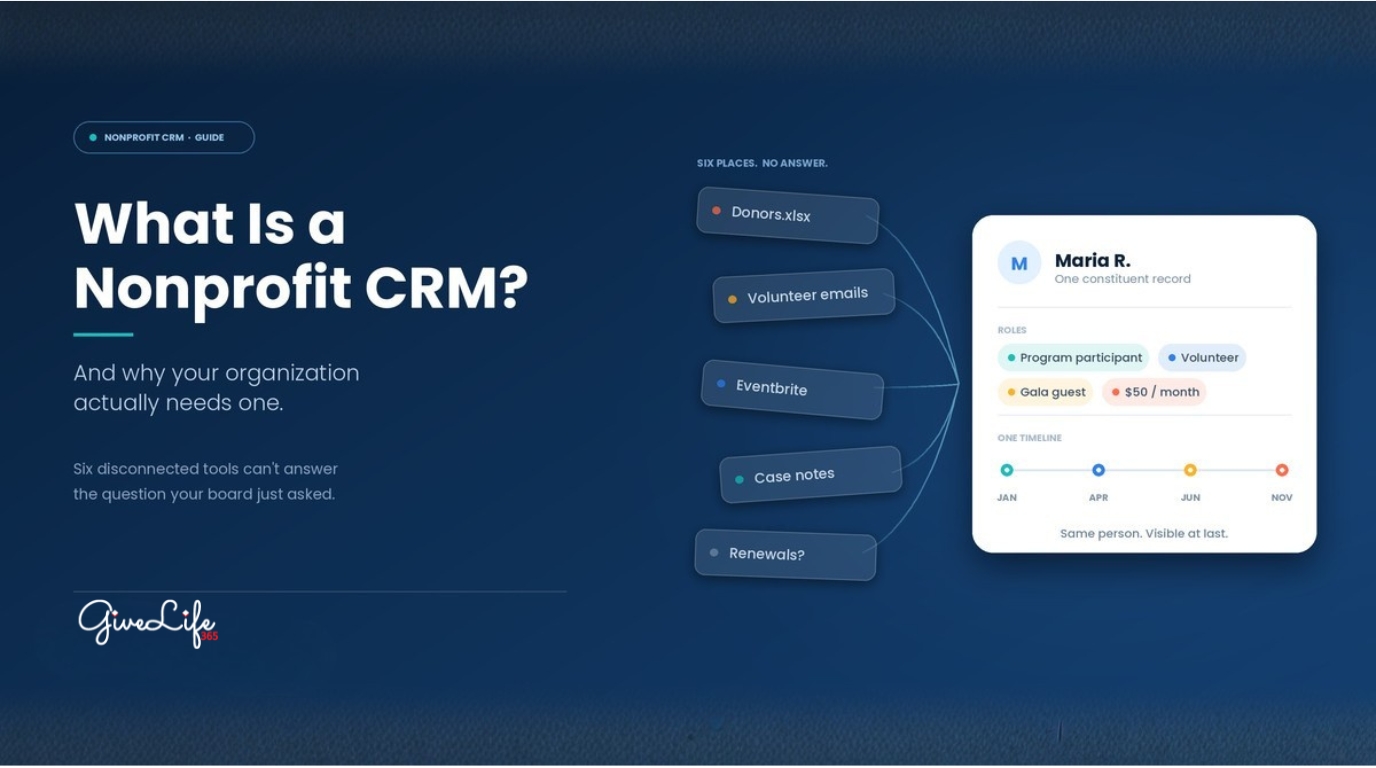
Your donor list lives in a spreadsheet. Volunteer sign-ups arrive by email. Event registrations sit in Eventbrite. Case notes are in a shared drive, and membership renewals are tracked by whoever remembers to check.
Then a board member asks a simple question: “How many of last year’s event volunteers also donated?”
Nobody can answer it quickly. Someone spends two days exporting files and matching names by hand.
That moment is what a nonprofit CRM exists to prevent.
A nonprofit CRM is one system that holds every relationship your organization depends on, donors, volunteers, members, program participants, funders, and partners, along with every interaction those people have with you. Fundraising, volunteer coordination, membership, events, case management, and reporting all run on the same record instead of six disconnected ones.
This guide covers what a nonprofit CRM is, how it differs from a business CRM, the six functions it should handle, the five signs you have outgrown spreadsheets, and what it actually costs to keep waiting.
Quick answer
A nonprofit CRM (Constituent Relationship Management system) is software that centralizes donor, volunteer, member, event, and program data in one place so that nonprofit teams can manage relationships, deliver services, and report on impact without stitching together spreadsheets and disconnected tools. Unlike a business CRM, which is built around sales pipelines and revenue, a nonprofit CRM is built around mission delivery, giving history, volunteer engagement, case outcomes, and funder reporting.
What Is a Nonprofit CRM?
CRM stands for Customer Relationship Management. In the nonprofit sector, the more accurate term is Constituent Relationship Management, because nonprofits do not have customers. They have constituents, and there are many kinds:
- Donors and recurring givers
- Volunteers
- Members and subscribers
- Program participants and service recipients
- Grant funders and foundations
- Board members
- Corporate sponsors and community partners
A nonprofit CRM stores all of these people in one database, records every touchpoint, and connects those touchpoints across departments. Your fundraising lead, your volunteer coordinator, and your program manager all see the same record for the same person.
The practical result is that nobody has to ask three colleagues a question the system should already answer.
Nonprofit CRM vs. Business CRM: What Actually Differs
On the surface, all CRMs look alike. They store names, log activity, and generate reports. The difference is what they were designed to optimize.
A business CRM is built to move a prospect through a sales pipeline toward a purchase. A nonprofit CRM is built to deepen a relationship over years, across multiple roles, with no purchase at the end of it.
| Business CRM | Nonprofit CRM |
Core object | Lead, opportunity, account | Constituent (person or household) |
Success metric | Closed revenue, quota attainment | Donor retention, lifetime value, mission impact |
Money model | One-time or subscription purchase | Gifts, pledges, recurring giving, dues, grants, in-kind |
Relationship shape | One role: customer | Many roles at once: a donor who volunteers and sits on a committee |
People who do the work | Paid sales staff | Staff plus volunteers, often part-time |
Reporting audience | Sales leadership | Board, grant funders, regulators, the public |
Also needs to handle | Rarely | Volunteer hours, case notes, service delivery, membership renewals |
The last row is where adapted business CRMs break down. You can force a sales pipeline to represent a donation. It is much harder to make it track volunteer shift scheduling, a housing intake case, or a membership renewal cycle without heavy custom development that you then have to maintain, and pay for, indefinitely.
That is the hidden cost of adapting a business CRM. The license looks affordable. Then you discover that volunteers, cases, and memberships are all custom builds, each one a consulting invoice, and each one something that breaks the next time the platform updates. A nonprofit CRM gives you those functions on day one, supported by the vendor, because they were designed in rather than bolted on.
The 6 Core Functions of a Nonprofit CRM
Most nonprofits do not use every function on day one. But these six are the areas a nonprofit CRM should be able to grow into, because sooner or later your work touches all of them.
- Donor Management
Donor management is usually the reason organizations start looking. A nonprofit CRM should let you:
- Store donor and household contact records
- Track complete giving history, including pledges and recurring gifts
- Segment by giving level, recency, campaign, and interest
- Log communication preferences and consent
- Flag major gift and legacy prospects based on behavior, not memory
- Automate receipts and acknowledgments
Why this matters: overall donor retention sits at roughly 43%, and one-time donors are retained at only 31.9%, compared with 87.4% for donors who give seven or more times (Fundraising Effectiveness Project). Retention is a follow-up problem before it is a fundraising problem, and follow-up is a data problem.
- Volunteer Management
Volunteers are labor, and that labor has a measurable value. Independent Sector and the Do Good Institute put the value of a single volunteer hour at $36.14 (Independent Sector, 2026). A hundred volunteers giving four hours a month represent more than $170,000 of annual contributed value.
You would not run a $170,000 budget line in an email thread. A CRM should handle:
- Volunteer recruitment and application intake
- Skills, certifications, and background check status
- Shift scheduling and self-service sign-up
- Hour tracking (which also feeds grant reporting and in-kind valuation)
- Role assignment and supervisor notes
- Recognition and re-engagement
- Membership Management
For associations, faith communities, arts organizations, and community groups, membership is recurring revenue. A CRM should manage member records and tiers, renewal cycles and lapse tracking, dues and payment processing, member-only communications, and engagement history that tells you who is quietly disengaging before they fail to renew.
- Event Management
An event is rarely just an event. It is a fundraising channel, a volunteer operation, a stewardship moment, and a data collection opportunity at the same time. A nonprofit CRM should connect registrations, ticketing, attendance, sponsorships, event-linked donations, and post-event follow-up back to the constituent record, so that the person who bought a gala ticket in March is recognizable as the person who gave a major gift in November.
- Case and Program Management
This is the function most often missing from CRMs adapted from business tools, and it is central for any organization that delivers direct services: housing, food security, health support, settlement services, education, counselling, legal aid.
Case management in a CRM means intake and eligibility, case notes and status, service delivery tracking, referrals to partner agencies, outcome measurement, and appropriate privacy controls so that program data stays visible only to the people who need it. Organizations handling health-related data will also need to confirm HIPAA or PHIPA alignment.
Case management is also where the strongest funder stories come from. Program outcomes are what grant reports are made of.
- Reporting and Impact Analytics
Every function above produces data. Reporting is where it becomes decisions.
A nonprofit CRM should generate fundraising performance, donor retention and lapse rates, volunteer hours and engagement, membership growth and churn, program outcomes, and event ROI, in real time, without anyone rebuilding a pivot table at 11pm the night before a board meeting.
5 Signs Your Nonprofit Has Outgrown Spreadsheets
Spreadsheets are not a mistake. They are a reasonable place to start. The problem is that they fail quietly, and by the time the failure is visible it has usually cost you donors.
- The same person exists in four different files, slightly differently. Jane Smith in the donor sheet. J. Smith in the volunteer list. jsmith@ in the event export. You have no idea it is one person, so you treat her like three strangers.
- Two people are editing two versions of the truth. Someone updates a phone number in their local copy. Someone else works from the version on the shared drive. Neither is wrong. Both are now unreliable.
- Board reporting takes days, not minutes. If preparing quarterly numbers requires a person to spend two days exporting, matching, and cleaning, you are paying a recurring tax on every report you produce.
- Follow-up depends on someone remembering. A first-time donor gives in March and hears nothing. She does not give again. Nobody notices, because nothing in the system was designed to notice. Given that one-time donors are retained at under a third, this is the most expensive item on the list.
- Growth makes everything harder instead of easier. Every new donor, volunteer, or program participant adds administrative work rather than momentum. When capacity stops scaling with size, the constraint is almost never the team. It is the system underneath the team.
Quick self-assessment. Score one point for each statement that is true of your organization:
- We store constituent data in more than three separate tools or files.
- Preparing a board or funder report takes more than half a day.
- We cannot tell you, right now, our donor retention rate.
- Someone on staff maintains a spreadsheet only they understand.
- We have sent a duplicate or wrongly addressed appeal in the last 12 months.
- We do not systematically track volunteer hours.
- A departing staff member would take institutional knowledge with them that is not written down anywhere.
- We have missed a membership renewal or grant deadline because nobody was reminded.
0 to 2: Your current tools are probably fine for now. Revisit in a year. 3 to 5: You are paying a hidden tax in staff time and missed follow-up. Start evaluating. 6 to 8: Your systems are actively limiting your mission. This is a leadership priority, not an IT project.
How a Nonprofit CRM Connects Fundraising, Programs, and Operations
Here is the case for a CRM in one example.
Maria attends your community workshop in January as a program participant. In April she volunteers at your spring cleanup. In June she buys two tickets to your gala. In November she sets up a $50 monthly gift.
Without a CRM, Maria appears as four unrelated records in four systems. Your fundraising team does not know she is a program alumna. Your volunteer coordinator does not know she is now a recurring donor. Nobody sees the arc.
With a CRM, Maria is one record with a four-step story. And that story tells you something genuinely useful: participants in that workshop convert to donors, which means the workshop is not just a program cost, it is also a pipeline. That is a strategic insight you cannot see from a spreadsheet, because the spreadsheet never had both halves of the picture.
This is the real argument for a CRM. It is not that it stores data more tidily. It is that connected data produces answers that siloed data structurally cannot.
The Real Cost of Not Having a Nonprofit CRM
Most nonprofits evaluate CRM software by asking what it costs. The better question is what the current setup already costs, on a line the budget does not show.
Lost donors. Sector-wide, donor counts have declined year over year since 2021, falling an estimated 3.6% in 2025 (FEP). The organizations losing the fewest donors are the ones with disciplined, timely stewardship. Discipline at scale requires a system.
Missed major gifts. Major donors rarely announce themselves. They signal, through increased giving, event attendance, volunteering, opening every email. Those signals are visible in a connected record and invisible across six disconnected ones.
Uncountable volunteer value. If you cannot report volunteer hours accurately, you cannot claim the in-kind value in grant applications, and you cannot show a funder the leverage their money creates.
Staff burnout. Nonprofit turnover runs around 19%, against roughly 12% in other sectors, and 59% of nonprofit employees who want to leave cite too much responsibility with not enough support (Candid). Manual data work is a meaningful share of that load. Every hour spent reconciling spreadsheets is an hour not spent on the mission someone joined to serve.
Institutional memory that walks out the door. When the relationship history lives in one person’s inbox and one person’s spreadsheet, their resignation is a data loss event.
What to Look For in a Nonprofit CRM
Once you decide to evaluate, use these six criteria.
Built for nonprofits, not adapted from sales. Ask a direct question in every demo: show me how you track a volunteer shift and a case note. If the answer involves renaming an “opportunity” or a custom build, you are looking at a business CRM in a nonprofit costume.
All six functions on one platform. Donor, volunteer, membership, event, case, and reporting. You do not need to switch them all on immediately, but you should not have to change systems in two years to add the one you are missing.
Usable by non-technical staff and volunteers. If it needs a consultant every time you want a new report, adoption will fail. And a CRM nobody uses is worse than a spreadsheet everybody uses.
Real reporting, not just data storage. Board-ready and funder-ready reporting, available on demand, without an export.
Integrations with what you already run. Payment processing, email marketing, accounting, event platforms. Integration failure is the most common reason CRM projects stall.
Realistic total cost. Look past the license fee at implementation, data migration, training, and ongoing support. Ask what a comparable organization actually paid, all in, in year one.
Data security and compliance. Confirm what applies to you: PIPEDA in Canada, state privacy law in the US, HIPAA or PHIPA if you handle health information.
Final Thoughts
A nonprofit CRM is not a database with a nicer interface. It is the difference between an organization that reacts to its data and one that can actually see it.
Spreadsheets are not the enemy. They are a stage. The question is whether you have moved past that stage without noticing, and whether the cost of staying is now higher than the cost of moving.
If your team spends more time managing information than acting on it, you already have your answer.
See what connected data looks like
GiveLife365 brings donor management, volunteer management, membership, events, case management, and impact reporting into a single nonprofit CRM built on Microsoft Dynamics 365, used by organizations across the US and Canada.
Book a 30-minute demo and we will walk through your actual workflows, not a generic slide deck.
